
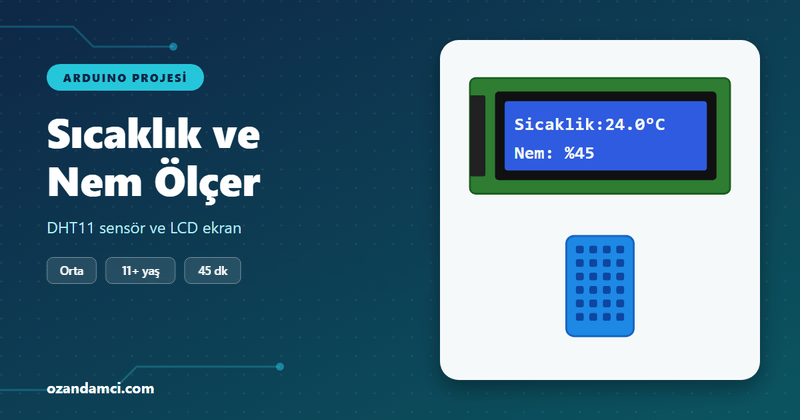
What does this project do?
We build a small weather station that measures the room’s temperature and humidity and shows them on a 16×2 LCD display. The DHT11 sensor takes a reading every two seconds; the values appear on the display and in the Serial Monitor on your computer.
- Age group: 11 and up
- Level: Intermediate
- Time: About 45 minutes
- What you will learn: installing libraries, reading a digital sensor, writing text on an I2C LCD display
Parts list
| Part | Qty |
|---|---|
| Arduino Uno (or compatible) | 1 |
| DHT11 temperature and humidity sensor (3-pin module) | 1 |
| 16×2 LCD display (with I2C module) | 1 |
| Breadboard | 1 |
| Male-to-male and male-to-female jumper wires | ~10 |
| USB cable | 1 |
Wiring
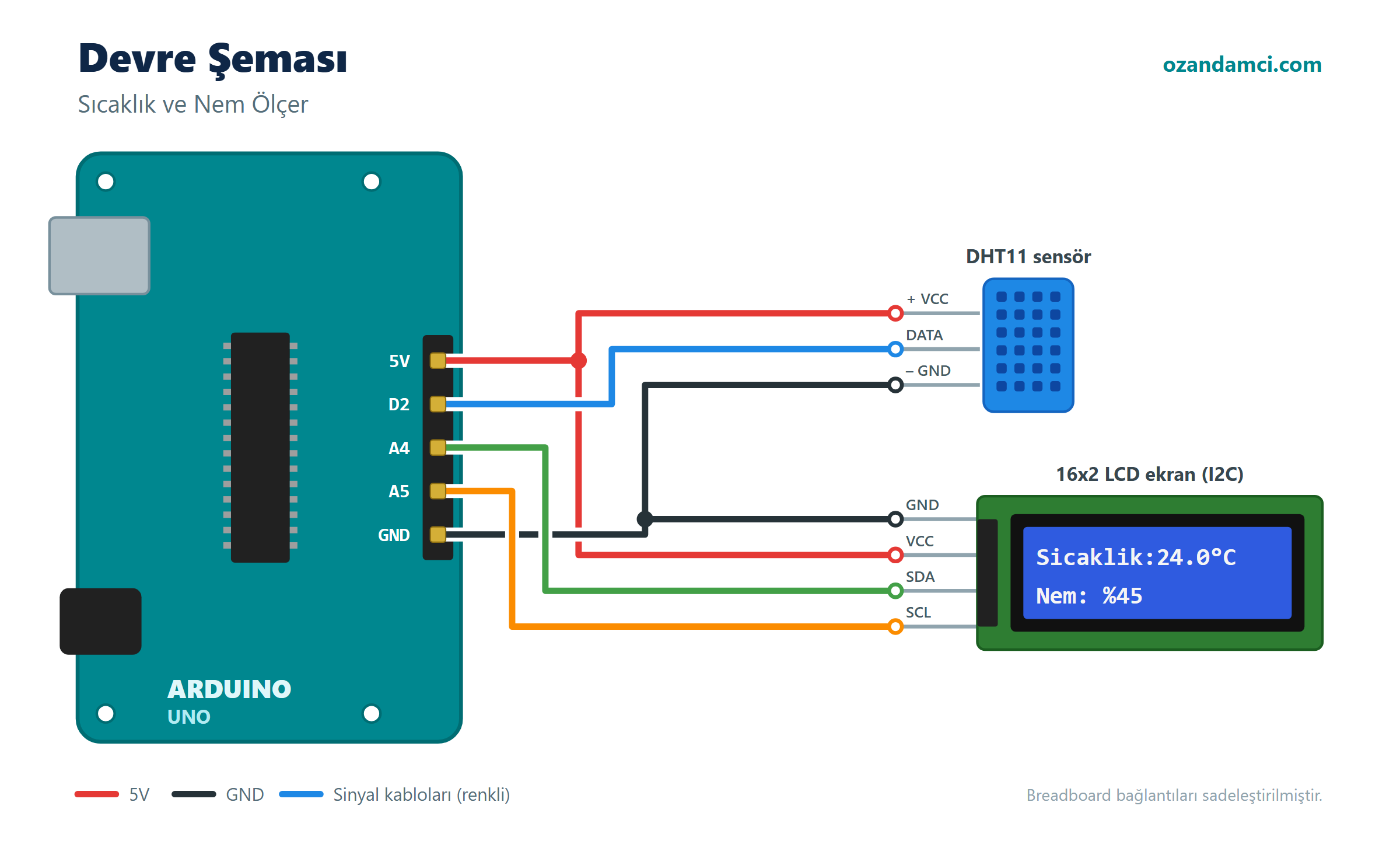
| Component | Component pin | Arduino pin |
|---|---|---|
| DHT11 | VCC (+) | 5V |
| DHT11 | DATA (OUT) | D2 |
| DHT11 | GND (–) | GND |
| I2C LCD | VCC | 5V |
| I2C LCD | GND | GND |
| I2C LCD | SDA | A4 |
| I2C LCD | SCL | A5 |
Required libraries
In the Arduino IDE, open Tools → Manage Libraries, then search for and install these two libraries:
- DHT sensor library (Adafruit) – when asked, also install the “Adafruit Unified Sensor” library.
- LiquidCrystal I2C (Frank de Brabander)
Code
// Arduino Temperature and Humidity Meter - ozandamci.com

#include <DHT.h>
#include <LiquidCrystal_I2C.h>

#define DHTPIN 2
#define DHTTYPE DHT11

DHT dht(DHTPIN, DHTTYPE);
LiquidCrystal_I2C lcd(0x27, 16, 2); // if the display doesn't work, try 0x3F

void setup() {
  Serial.begin(9600);
  dht.begin();
  lcd.init();
  lcd.backlight();
  lcd.setCursor(0, 0);
  lcd.print("Starting...");
  delay(2000);
}

void loop() {
  float humidity = dht.readHumidity();
  float temperature = dht.readTemperature();

  lcd.clear();

  if (isnan(humidity) || isnan(temperature)) {
    lcd.setCursor(0, 0);
    lcd.print("Sensor error!");
    Serial.println("Failed to read DHT11");
  } else {
    lcd.setCursor(0, 0);
    lcd.print("Temp: ");
    lcd.print(temperature, 1);
    lcd.print((char)223); // degree symbol
    lcd.print("C");

    lcd.setCursor(0, 1);
    lcd.print("Humidity: ");
    lcd.print(humidity, 0);
    lcd.print("%");

    Serial.print("Temperature: ");
    Serial.print(temperature);
    Serial.print(" C  Humidity: ");
    Serial.print(humidity);
    Serial.println(" %");
  }

  delay(2000); // the DHT11 can take at most one reading every 2 seconds
}
Step-by-step instructions
- Install the libraries. Add the two libraries above to the Arduino IDE.
- Connect the DHT11. Connect the module’s + pin to 5V, the – pin to GND and the OUT/DATA pin to D2.
- Connect the LCD. On the I2C module on the back of the display, connect VCC to 5V, GND to GND, SDA to A4 and SCL to A5. You can share 5V and GND through the breadboard’s power rails.
- Upload the code. Choose your board and port, then click Upload.
- Adjust the contrast. If the display lights up but you can’t see any text, turn the blue potentiometer on the I2C module with a small screwdriver.
- Test it. Breathe gently on the sensor; you should see the humidity value go up.
Troubleshooting
- The display shows only blocks or nothing at all: Change
0x27to0x3Fin the code and try again. If it still doesn’t work, check the SDA and SCL wires. - It says “Sensor error!”: Make sure the DHT11’s DATA pin is connected to D2. If you are using a bare 4-pin sensor, you need a 10 kΩ resistor between DATA and 5V.
- Some characters look strange: Character LCDs only support basic Latin letters, so avoid accented or special characters in your text.
Try it yourself
- Add a red LED and a warning beep that turn on when the temperature goes above 28 °C.
- Also show the highest and lowest temperature on the display.


Birisi “Arduino Temperature and Humidity Meter with DHT11 and LCD Display (Parts List and Code)” üzerinde düşündü